Solutions for your team knowledge
A foundation that fits your workflows.
OwnMemory is the software that gives your company a shared AI memory. It runs on your server and is connected to your systems and workflows together with you.
Foundation plus extensions: you start with what you need.

01 The foundation
-
Store and find
OwnMemory finds knowledge by meaning. The search uses a local AI model on your server that you can choose and install individually.
-
Rights and protection
Each AI tool receives only the areas you grant. OwnMemory replaces sensitive details with placeholders.
-
Rules and history
Mandatory knowledge is maintained by the administrator. Versions and logs show what changed and when.

02 Connections
Your software reports straight into the memory
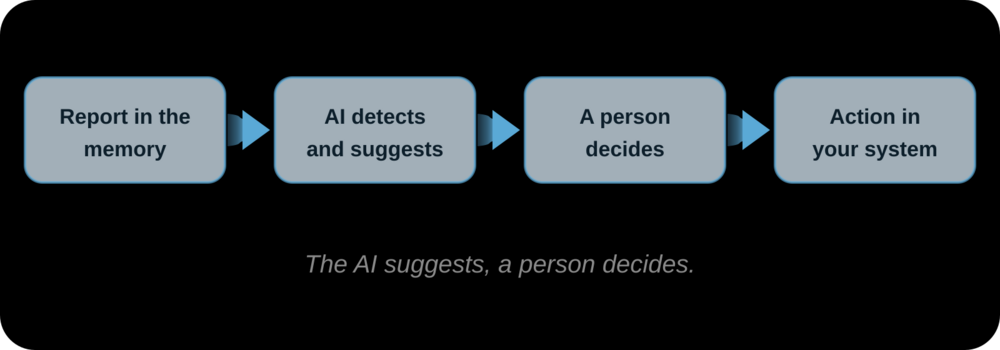
Through an interface, your systems write reports into OwnMemory. This interface is built and in use.
- Report:
A pipeline or your own software reports success or failure, with the log excerpt in case of an error. - Organise:
OwnMemory stores the report in the right area. It recognises repeated errors and does not store them again. - Use:
Your AI tools read the report and suggest what to do. A person decides. Ticket systems and ERP can be connected too.
Keep deadlines in view
“What expires soon?”
Deadlines and dates are often scattered across contracts, tickets and calendars.
Possible use
OwnMemory could collect deadlines from your systems and remind you in good time.
Deadlines · Reminder · Contracts
Support with experience
“Have we seen this before?”
A new request is worth comparing with earlier cases, but nobody remembers them all.
Possible use
For a new request, OwnMemory could show similar earlier cases with their solutions.
Ticket · Similar cases · Solution
Fix errors faster
“What is causing the error?”
- When a pipeline reports an error, the search for the cause often starts from zero.
Possible use
The AI could suggest a fix based on the report and earlier cases. A person approves it.
Pipeline · Suggestion · Approval
Regular overviews
“What happened this week?”
Reports pile up, and nobody reads them all.
Possible use
OwnMemory could create a summary on a schedule, for example every morning.
Schedule · Summary · Overview
Chatbot access
“Where was that again?”
Not everyone in the company works with AI tools such as Claude or Cursor.
Possible use
A chatbot could answer your employees’ questions from the memory, with the rights you define.
Chatbot · Questions · Rights
Actions in your systems
“What happens after the decision?”
When a person approves something, the action should not have to be carried out by hand.
Possible use
OwnMemory could trigger an action in your software via webhook, for example a new pipeline run.
Webhook · Action · Approval
04 Foundation and extensions

05 Data sovereignty
The memory belongs in your infrastructure
OwnMemory stores and searches your knowledge on your own server. Even the search by meaning uses a local AI model on your server that you can install individually.
Conversation
We clarify which systems and workflows OwnMemory should connect in your company.
Scoping and implementation
You receive a proposal for the foundation and extensions. The foundation is set up and connected. We advise you on choosing the server.
Extensions
More workflows are added step by step, entirely to your needs.
07 Frequently asked questions
No. OwnMemory is a service with its own local AI model that stores and retrieves knowledge. We can add chatbot access as an extension.
No. It complements them and keeps ready the knowledge your AI tools need for their work.
Yes, if they support MCP, like Claude or Cursor. Together we check which tools you use and what the connection looks like.
The knowledge store is on your server. What a cloud AI tool receives is controlled by access rights and pseudonymization.
The foundation and the interface for reports are finished. Chatbot access, actions via webhook and further workflows are implemented with you as extensions.
o8 Contact
What should OwnMemory connect to in your setup?
Let’s look at your use case. In a demo we discuss how OwnMemory fits your way of working, your AI tools and your infrastructure.
What we can clarify together
- Which knowledge you want to share
- Which systems should be connected
- Which workflows can be automated